Celoxis n8n Integration: Nodes, Triggers and Setup
Run Celoxis work from n8n, and start a workflow when a record changes
Connect Celoxis to n8n, a workflow automation tool, with the Celoxis community node n8n-nodes-celoxis. With it you can:
- Run Celoxis actions from a workflow — create, update, find, or delete projects, tasks, time logs, expenses, and custom app records.
- Start a workflow from Celoxis — when a record is created or updated.
n8n, Webhooks, or Zapier?
| If you want to… | Use |
|---|---|
| Only notify another system, without building a workflow | Webhooks |
| Connect an app that is already on Zapier with one zap | Zapier |
| Build a multi-step workflow, or you already use n8n | n8n (this page) |
n8n listens for creates and updates only, not deletes. You do not need to set up anything under Main MenuAdminIntegrationsWebhooks — activating the n8n workflow registers it with Celoxis.
Before you start
- n8n Integration on your Celoxis plan.
- A Celoxis user with administrator privileges who can create API tokens. Every n8n action runs as this user, with this user's permissions.
- An n8n instance that allows community nodes, and permission to install them.
- For triggers only: a public
https://address for n8n. n8n Cloud already has one. See Triggers need a public address.
Step 1: Install the Celoxis node
- In n8n, go to Settings → Community Nodes and select Install. If the page is missing, your n8n plan does not allow community nodes.
- Enter
n8n-nodes-celoxis, accept the risk notice, and select Install.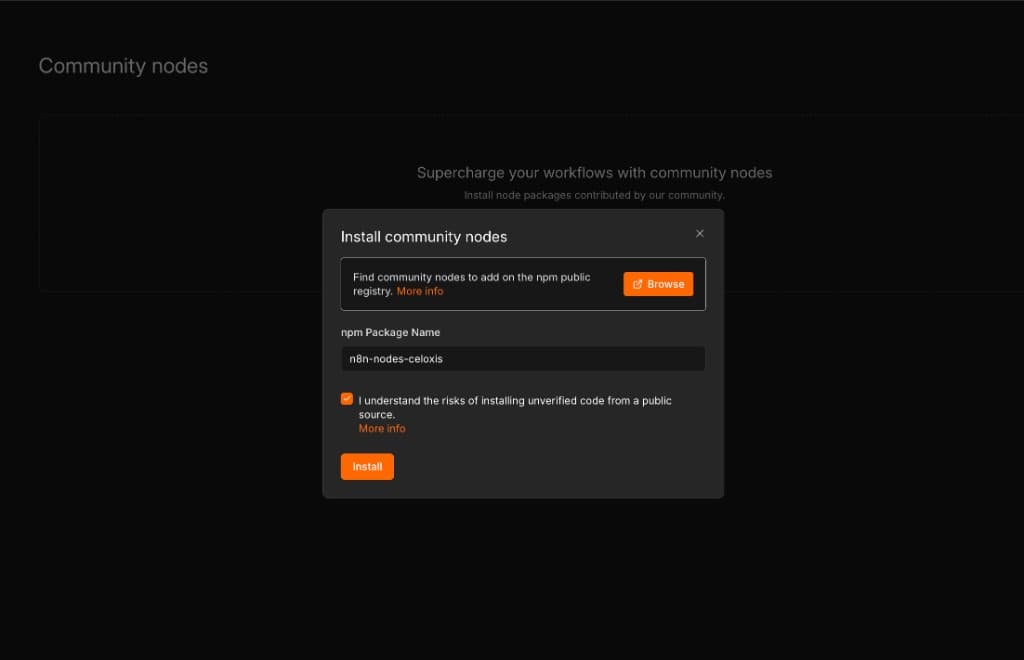
The package name is n8n-nodes-celoxis. - Add a node and search for Celoxis. Two nodes appear: Celoxis (runs actions) and Celoxis Trigger (starts workflows).
On a self-hosted n8n you can instead run npm install n8n-nodes-celoxis and restart n8n.
Step 2: Connect your Celoxis account
- In Celoxis, click your name → API, create a token, and copy it. The full token is shown only once.
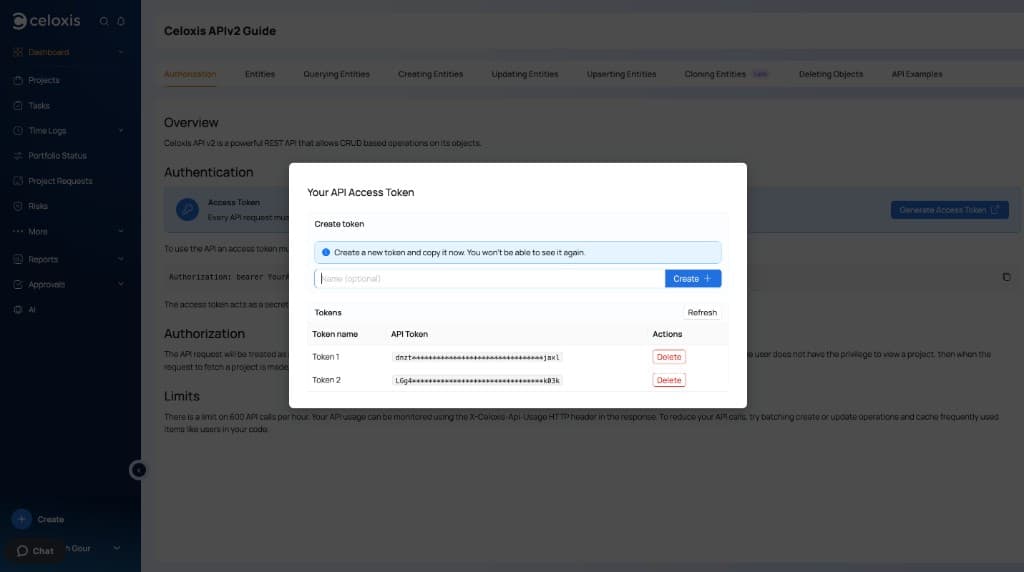
The API token is on your profile, under API. - In n8n, open Credentials and create a Celoxis API credential.
- Fill in the form:
- Access Token — paste the token.
- Server URL — your Celoxis address only, such as
https://app.celoxis.com. Do not add/psaor a trailing slash.
- Select Save. n8n tests the connection.
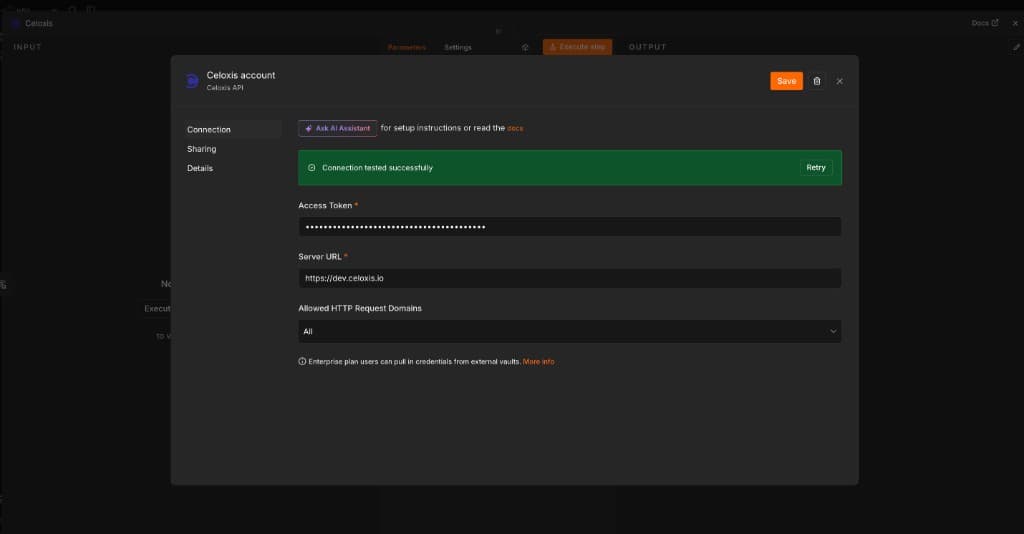
The credential test succeeded. The server is the host only.
| Your Celoxis site | Server URL |
|---|---|
| US SaaS | https://app.celoxis.com |
| EU SaaS | https://eu.celoxis.com |
| On-premise | The address in Main MenuAdminSite Settings |
Use this one credential on both Celoxis nodes. Treat the token like a password.
Run Celoxis actions
Add a Celoxis node, choose the credential, pick an Operation, then choose Type (Projects, Tasks, and so on). Wait for the fields to load, fill them in, and select Execute step. The output includes the record's id.
| Operation | What it does |
|---|---|
| Create Record | Adds a new record. |
| Update Record | Changes fields on a record by its ID. Empty fields stay as they are. |
| Get Record | Loads one record by a single identifier, such as ID or external key. |
| Find Records | Returns records that match your filters, one page at a time. |
| Upsert Record | Updates the record with that external key, or creates it if the key is new. |
| Clone Record | Copies a project or task. The original is unchanged. |
| Delete Record | Deletes a record by its ID. This cannot be undone. |
| Move Task | Moves a task to a different project, optionally under a parent task. |
| Do State Transition | Moves a custom app record to its next state, such as Approve. Enter the ID first so the transitions load. |
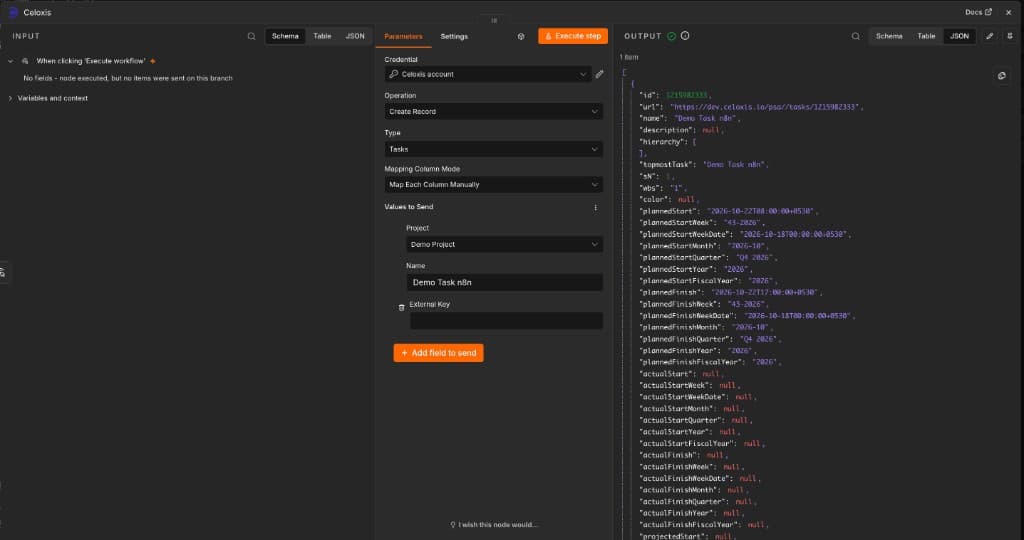
Example: create a task
Set Operation to Create Record and Type to Tasks. Pick the Project from the list, enter a Name, and select Execute step. A task always needs a project.
Example: find a project
Set Operation to Find Records, choose Type, and select Add Filter for each condition. All conditions must match. Leave Limit at 0 and Sort empty unless you need them.
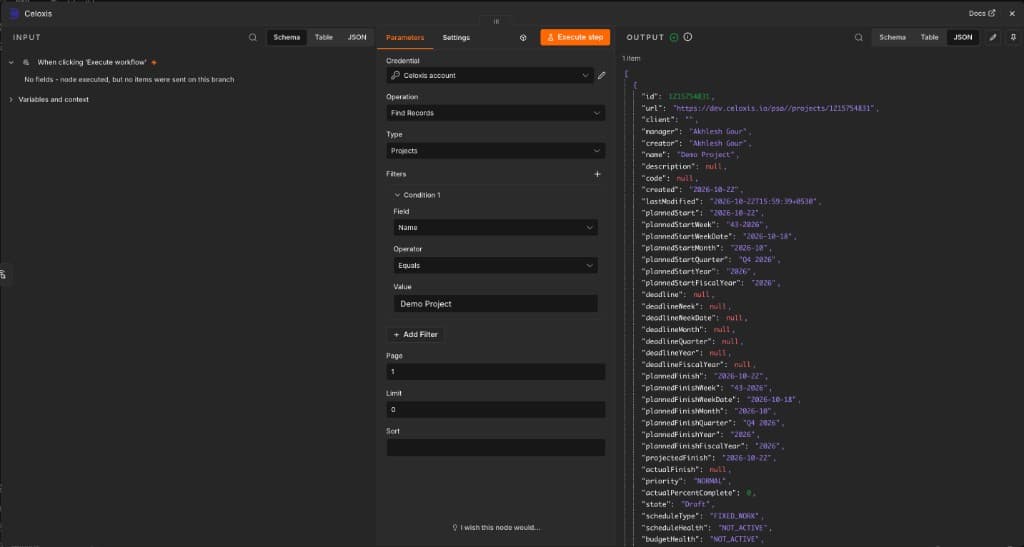
Each record found becomes one n8n item, and the next node runs once per item. One run returns one page — set Page to 2 for the next.
Tips
- Use IDs, not names. Fields such as project, user, or parent task need the record's ID, or a pick from the list. To use a name, find the record first and map
{{ $json.id }}. - Dates in filters use the format
yyyy-MM-dd. - Operators depend on the field. Contains and Starts with work on text. Greater than works on numbers and dates.
- Sorting: most types sort by
idorname/asc. Expenses sort bycreated, and Task Status Updates bydate. - Errors stop the workflow. Turn on Continue On Fail in the node settings to let the remaining items run.
- You only see what the token's user can see. Hidden record types, records, and fields do not appear.
Start a workflow when a record changes
- Add a Celoxis Trigger as the first node and choose the credential.
- Choose Event (Record Created or Record Updated) and Type.
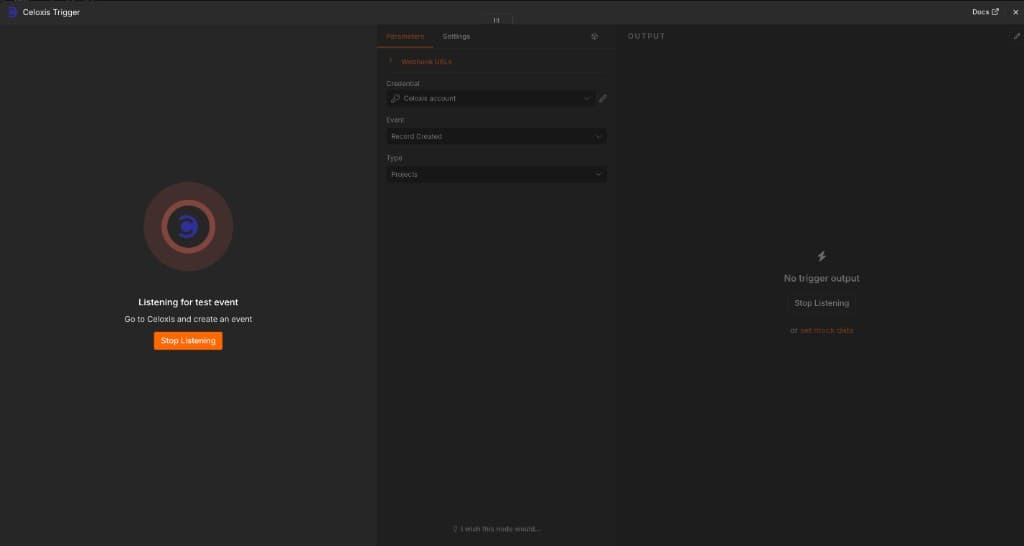
Event is Record Created and Type is Projects. - Activate the workflow. Celoxis starts sending records only after this.
- Create or update a record in Celoxis. It reaches n8n in about 2 minutes for a create, or about 10 minutes for an update.
| Type | Created | Updated |
|---|---|---|
| Projects, Tasks, Time Logs, custom app records | Yes | Yes |
| Task Status Updates, app updates such as Approval Updates | Yes | No |
| Expenses | No | No |
- Records that existed before you activated, deleted records, and missed events are not sent.
- A task progress update is a Task Status Update, not a task update.
- To change Event or Type, deactivate the workflow, change it, then activate again.
- Test this trigger only loads a sample. It does not prove Celoxis can reach n8n.
Triggers need a public address
Celoxis must be able to reach n8n. The trigger's Production URL must be a public https:// address, not localhost.
- n8n Cloud: nothing to do.
- Your own server: set
WEBHOOK_URLto your public address (no/webhook, no trailing slash), restart n8n, then turn the workflow off and on.
export WEBHOOK_URL=https://n8n.yourcompany.com
n8n start
For Docker, add the same variable under environment and recreate the container.
Troubleshooting
| Problem | Fix |
|---|---|
Your plan does not have the feature : n8n Integration | Your plan does not include n8n. Contact Celoxis. Changing the token will not help. |
| Credential test fails | Check that Server URL has no /psa and matches the site where the token was created. Create a new token if it was deleted. |
| Type list is empty | Fix the credential test first. Then check the user can use that record type in Celoxis. |
| Task fails after typing a project name | Use the project ID. Find the project first and map {{ $json.id }}. |
| Find Records returns nothing | Remove filters one at a time. Use IDs for picked values. Leave Sort empty. |
Invalid sort:id | Expenses sort by created, Task Status Updates by date. Or leave Sort empty. |
| Trigger never runs | Activate the workflow, make sure the Production URL is public https://, then create a new record and wait a few minutes. |
| Old trigger settings still apply | Deactivate, change the settings, then activate again. |
| Transition list is empty | Enter the custom app record ID first. Apps without a workflow have no transitions. |
| Move Task fails | Choose a different project. A parent task must already be in that project. |
FAQ
Do I also need to create a webhook in Celoxis?
No. Activating the n8n workflow registers the trigger. Main MenuAdminIntegrationsWebhooks is a separate feature.
Can a workflow start when a record is deleted?
No. Only creates and updates start a workflow. Use Webhooks for deletes.
Why did the trigger run several minutes later?
That is expected: about 2 minutes for a created record and about 10 minutes for an updated one.
What happens when I deactivate the workflow?
Celoxis stops sending records to it. Actions you run yourself, and other active workflows, are not affected.
Can two workflows listen for the same event?
Yes. Each active workflow is registered separately, and both run.
What if I delete the API token?
Actions fail until you create a new token, paste it into the credential, and save. Then turn any trigger workflows off and on.
Can Delete Record remove any record?
No. It follows the same rules as deleting in Celoxis, and only types the token's user can delete are listed.