The Real Engineering PM Problem Nobody Talks About

Here’s a question worth sitting with: Why do engineering projects fail even when teams are talented, deadlines are known, and budgets are clearly defined?

The answer, more often than not, isn’t a people problem. It’s a visibility problem.

A civil engineer managing a bridge infrastructure project is staring at 14 interdependent phases, six subcontractors, and a weather delay that just cascaded into six other tasks. A product engineering team at a SaaS company is juggling sprint velocity, dependency chains, and a release roadmap that keeps shifting. A pharmaceutical engineering firm needs to manage regulatory milestones, capacity planning across labs, and project cost variance — simultaneously.

The thing that separates projects that ship from projects that spiral is the software holding everything together. And not all project management tools are built for the complexity, scale, or the execution intensity that engineering actually demands.

This article breaks down the 10 best project management software tools for engineering teams in 2026 — not as a generic feature comparison, but as a decision guide. We’ll cover who each tool is truly built for, what engineering pain points it solves, and which scenarios it underperforms. If you’re managing large-scale engineering operations or leading cross-functional engineering teams, you’ll know exactly what to choose by the time you finish reading.

⚡ Quick Answer

Quick answer for those already in research mode: If you’re running a complex, multi-project engineering operation and need enterprise-grade portfolio visibility, resource capacity planning, financial tracking, and AI-driven insights in one place — Celoxis is the strongest choice available in 2026. The rest of this guide shows you exactly why — and where every other tool fits.

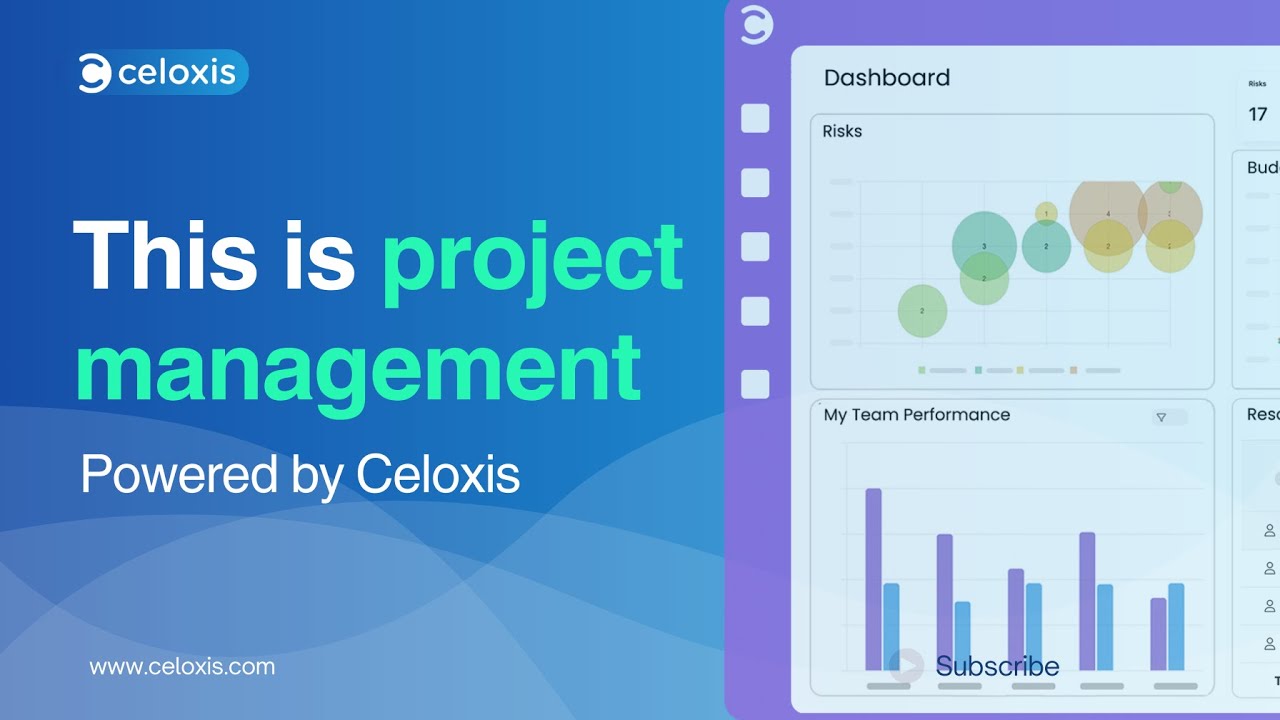
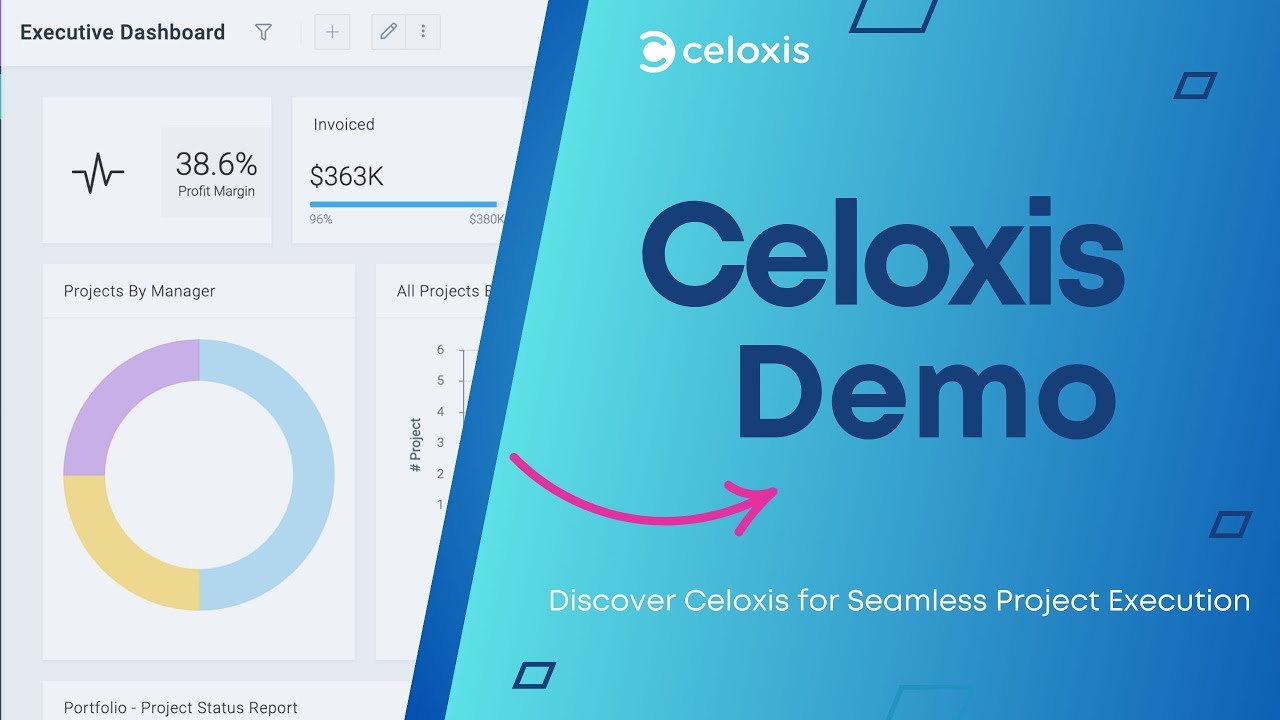
Celoxis Demo Video

Watch the Celoxis Demo: See Enterprise Project Management in Action

Celoxis demo video showing enterprise project management, portfolio dashboards, resource management, financial tracking, risk management, and reporting for engineering teams
Celoxis demo video: Watch how Celoxis helps engineering leaders manage project portfolios, resources, budgets, risks, schedules, dashboards, and reports from one enterprise-grade project management platform.

Why this demo is useful: It gives engineering PMOs and project leaders a practical look at how Celoxis brings portfolio visibility, resource planning, financial control, risk tracking, scheduling, reporting, and execution workflows together in one connected platform.

Why Generic Project Management Tools Fail Engineering Teams

Before we get into the list, it’s worth understanding what makes engineering project management fundamentally different from other domains.

What is project management in software engineering? It’s coordinating technical deliverables, sprint cycles, code dependencies, and team capacity across iterative development. What is project management in civil or infrastructure engineering? It’s tracking interdependent construction phases, regulatory approvals, procurement, and multi-contractor schedules. In manufacturing or industrial engineering? It’s resource utilization, process flows, quality gates, and production timelines.

Across all of these, the core challenges are the same:

Missed Dependencies
that create cascading delays
Budget Overruns
that go undetected until it’s too late
Resource Conflicts
when engineers are double-allocated across projects
Reporting Gaps
that leave leadership flying blind
Cross-Functional Coordination
breaking down between engineering, operations, procurement, and finance
Scheduling Conflicts
when shifting priorities aren’t reflected in real-time plans
Engineering Bottlenecks
that block entire phases of delivery

If your project management tool can’t actively surface and solve these problems, it’s just an expensive to-do list.

Table of Contents

Best Project Management Software for Engineering Teams in 2026

I. The Real Engineering PM Problem Nobody Talks About II. Why Generic Project Management Tools Fail Engineering Teams III. How We Evaluated These Tools V. Celoxis Dashboard Preview VI. Celoxis Core Capabilities for Engineering Teams VII. What Engineering Problems Does Celoxis Solve Best? VIII. Celoxis Across Engineering Industries IX. Is Celoxis Right for Your Engineering Team? X. Side-by-Side Comparison: How These Tools Stack Up for Engineering XI. How to Choose the Right Project Management Software for Your Engineering Team XII. 5 Questions Every Engineering Leader Should Ask Before Buying a PM Tool XIII. Frequently Asked Questions: Engineering Project Management Software XIV. Final Verdict: Which Engineering PM Software Should You Choose?

How We Evaluated These Tools

Every tool in this list was evaluated against engineering-specific criteria:

Advanced scheduling and dependency management — Can it handle inter-project dependencies, critical path analysis, and automatic schedule adjustments?
Resource planning and capacity management — Does it show real-time utilization, role-based allocation, and overload detection?
Portfolio and roadmap visibility — Can engineering leaders see across all projects, not just individual ones?
Budget and financial tracking — Does it track planned vs. actual cost, revenue forecasting, and profit margins?
Engineering workflow support — Does it accommodate risk logs, change requests, RAID logs, issues, and bugs natively?
Reporting and AI capabilities — Can it deliver actionable insights, not just data dumps?
Integration with engineering tools — Does it connect to Jira, Azure DevOps, GitHub, Salesforce, and other engineering stack tools?
Scalability — Does it hold up when you’re managing 50+ projects, hundreds of team members, and millions in project value?
Cross-industry adaptability — Engineering challenges are similar whether you’re in pharma, finance, healthcare, IT, or construction.

The 10 Best Project Management Software for Engineering Teams (2026)

👑 Editor’s Choice · Best Overall for Engineering Teams 2026
01

Celoxis

Best for Engineers Managing Large-Scale, Complex Engineering Operations
🏆 Top Pick
⚡ Verdict

The most complete engineering project management platform available. Built for PMOs, engineering leaders, and organizations running high-stakes, multi-project portfolios where every delay, every overrun, and every resource conflict has real consequences.

What Makes Celoxis the Strongest Choice for Engineering?

How beautifully is this tool engineered to work smoothly for engineering teams? That’s the right question to ask when evaluating any project management software — and Celoxis is the one that gives the most complete answer.

Celoxis isn’t a generic task manager with a Gantt chart bolted on. It’s an AI-powered project portfolio management (PPM) platform built specifically for organizations managing complex, interdependent engineering work at scale. Trusted by brands like NASA, Tesla, Rolex, Adobe, Whirlpool, and KPMG, Celoxis has 23+ years of product refinement behind it — and it shows in every feature.

📊 The Manager Dashboard

The Manager Dashboard gives engineering leaders a real-time command center: margin performance, revenue vs. goal, cost vs. planned, and effort tracking — all visible at a glance. For a VP of Engineering or PMO head overseeing dozens of concurrent projects, this single view replaces hours of status meetings and manual reporting every week.

🗂️ The Portfolio Overview

The Portfolio Overview goes a level deeper. It surfaces open risks, budget vs. actual cost comparisons, portfolio-level timelines, budget distribution across projects, and a roadmap view that shows which projects are on track, at risk, or overbudget — all in one screen. Engineering firms that manage multiple large-scale projects simultaneously will immediately understand why this matters.

🔮 The What-If Analysis

The What-If Analysis feature is genuinely rare in the market. Engineers and PMOs can model different resource and project intake scenarios — for example, “If we take on this $1.3M project, how does it affect team capacity over the next 12 months?” — and get data-driven answers before committing. No other tool on this list handles pre-project scenario planning with this level of sophistication.

⚠️ The Risks Dashboard

The Risks Dashboard is another engineering-specific differentiator. It tracks Value at Risk (VaR) by project, by manager, and by vertical — giving engineering organizations a financial and operational lens on risk exposure that most PM tools simply don’t offer. When an event launch or software development project is carrying $227K in risk value, you need to see that before it becomes a crisis.

⏱️ The Timesheet Module

The Timesheet module is purpose-built for engineering billability and accountability. Engineers log hours against tasks, projects, and even non-project time. Submissions go through a multi-level approval workflow. Status tracking (Saved, Submitted, Approved, Invoiced) is visible at the team level. This creates a clean bridge between project execution and billing — critical for engineering firms managing clients on time-and-materials or fixed-fee agreements.

🎯 The Initiatives Dashboard

The Initiatives dashboard gives strategic leaders visibility across the full project portfolio, breaking down initiatives by vertical, budget, priority, and status — all in real time. For organizations running marketing, operations, R&D, sales, and technology initiatives simultaneously, this level of portfolio intelligence is transformative.

Celoxis Engineering Advantage

Celoxis Core Capabilities for Engineering Teams

📅 Advanced Project Planning and Scheduling

Celoxis builds dynamic project plans that automatically adjust when conditions change — resource time-offs, task delays, shifting priorities. Inter-project dependencies mean a delay in one engineering phase automatically cascades adjustments downstream. Critical path analysis, baselines, and Earned Value Analysis (EVA) give engineering managers the data they need to defend schedules to stakeholders.

👥 Resource Management Built for Engineering Organizations

Engineering teams rarely work in a single location on a single shift. Celoxis handles multiple locations, time zones, and shift configurations natively. Capacity planning shows utilization by role, skill, and even custom fields. Instant overload alerts flag when engineers are being over-allocated before it becomes a problem. Compared to the frustrating guesswork most teams use to balance engineering resources, this is a step-change improvement.

💰 Project Accounting and Financial Tracking

Many engineering PM tools track tasks. Celoxis tracks money. Real-time budget vs. actual cost visibility, profit and margin tracking, revenue forecasting, and custom financial KPIs are built into the core platform — not hidden behind expensive add-ons. For engineering firms where project profitability determines growth, this isn’t optional.

🤖 Celoxis AI: LEX — Engineering Intelligence at Scale

LEX is Celoxis’s AI project management engine — and it goes far beyond what most AI features in PM tools actually do. LEX actively analyzes project data, delivers real-time insights, surfaces actionable recommendations, and lets engineering leaders interact with their portfolio data using natural language commands. Ask LEX about overdue tasks, budget variance, resource bottlenecks, or project health across your portfolio — and get instant, data-driven answers. For engineering managers drowning in data but starved for insights, LEX is transformational.

⚙️ Workflow Apps Engineered for Engineering Processes

Risk management, issue tracking, change requests, bug tracking, RAID logs — Celoxis supports all of these natively as configurable workflow apps. Engineering teams can define their own business processes with custom fields, routing rules, and escalation policies. This replaces the spreadsheets and email chains that derail engineering execution.

📊 Portfolio Monitoring for Engineering Leadership

Engineering directors and PMO leaders can monitor schedules, margins, and custom KPIs across the entire portfolio from fully customizable dashboards with drill-down capability. The Portfolio Overview screen shows budget distribution, roadmap status, and timeline at a glance — exactly the view engineering leadership needs before board meetings or client reviews.

🔗 Jira and Azure DevOps Integration

Software engineering teams using Jira or Azure DevOps don’t have to abandon their existing workflows. Celoxis integrates directly, giving development progress and resource utilization visibility inside the Celoxis portfolio view. This makes Celoxis uniquely effective for organizations running both engineering operations and software development simultaneously.

📈 100% Customizable Dashboards and Reporting

Every engineering organization measures success differently. Celoxis’s reporting engine lets teams slice, dice, and visualize data against custom KPIs. Reports can be scheduled for automated delivery to PMOs, project managers, or CXOs. Dashboards can be shared, drilled into, and exported as PDFs.

Celoxis Initiatives Dashboard connects engineering execution with strategic goals by tracking priorities, budgets, statuses, and business outcomes across the portfolio.

What Engineering Problems Does Celoxis Solve Best?

Engineering Pain Point How Celoxis Addresses It
Missed inter-project dependencies Automatic scheduling with inter-project dependency tracking
Budget overruns going undetected Real-time actual vs. planned cost tracking with margin analysis
Resource conflicts across projects Capacity planning with instant overload alerts by role and skill
Leadership flying blind Portfolio dashboards with drill-down visibility into every project
Risky projects with no financial lens Risks Dashboard showing Value at Risk by project, manager, vertical
Too many status meetings Automated reporting delivered to PMOs and CXOs on schedule
AI that doesn’t go beyond summaries LEX: natural language queries against live project data
Cross-functional coordination gaps Custom workflow apps for risks, issues, change requests, bugs
Billing and time tracking friction Integrated timesheet with multi-level approval and invoicing states
Strategic project selection What-If Analysis for pre-project resource and capacity modeling
Celoxis Video Overview

See How Celoxis Helps Engineering Teams Manage Projects, Resources, and Portfolios

Celoxis project management software video showing dashboards, portfolio management, resource planning, and project execution for engineering teams
Watch Celoxis in action: See how Celoxis gives engineering leaders real-time visibility into project portfolios, resource capacity, financial performance, risks, dashboards, and execution workflows.

Why this matters for engineering teams: Celoxis brings project planning, portfolio management, resource scheduling, financial tracking, risk management, reporting, and AI-powered insights into one connected platform — helping engineering PMOs move beyond spreadsheets, disconnected tools, and manual status reporting.

Celoxis project management dashboard showing engineering portfolio visibility, project health, resource planning, and financial tracking
Celoxis dashboard gives engineering leaders real-time visibility into project performance, resources, risks, budgets, and portfolio health.
Industry Fit

Celoxis Across Engineering Industries

How does engineering document management software improve project collaboration? Celoxis answers this across multiple sectors:

🏥 Healthcare Engineering

Clinical infrastructure projects, facility renovations, and medical device engineering all involve regulatory timelines, phase gate approvals, and cross-functional coordination between clinical, engineering, and compliance teams. Celoxis’s portfolio management, risk tracking, and custom workflows make it a natural fit.

🧪 Pharmaceutical Engineering

Drug development involves project phases with strict compliance checkpoints, resource planning across lab teams, and financial visibility into R&D cost vs. expected margin. Celoxis’s financial KPIs, EVA capabilities, and risk management align precisely with pharma project demands.

🏦 Banking and Financial Engineering

Technology infrastructure projects, system migrations, and digital transformation initiatives in banking need tight schedule control, stakeholder reporting, and audit-friendly documentation. Celoxis’s reporting engine and custom dashboards give banking engineering teams exactly that.

🏭 Manufacturing and Industrial Engineering

Production engineering involves capacity planning across shifts, managing interdependencies across assembly phases, and tracking project cost against production targets. Celoxis’s resource management across locations and shifts, combined with its financial tracking, makes it a strong operational fit.

🏗️ Construction and Civil Engineering

Large infrastructure projects need Gantt-based scheduling, phase tracking across contractors, and real-time budget vs. cost analysis. Celoxis’s advanced scheduling, inter-project dependencies, and portfolio overview are built for this level of complexity.

💻 IT and Software Engineering

From product teams running agile sprints to IT PMOs managing transformation programs, Celoxis integrates with Jira and Azure DevOps while adding the portfolio-level visibility and financial intelligence that pure development tools lack.

Celoxis Dashboard Video

Watch How Celoxis Dashboards Help Engineering Teams Track Projects in Real Time

Celoxis dashboard video showing project portfolio visibility, engineering project tracking, resource planning, financial dashboards, and real-time reporting
Celoxis dashboard overview: See how engineering leaders can track project health, portfolio status, resource utilization, budgets, risks, and real-time reports from one connected project management platform.

Why this video is useful: It helps engineering teams understand how Celoxis brings dashboards, portfolio tracking, resource planning, financial visibility, risk management, and project reporting together for better execution and leadership visibility.

Is Celoxis Right for Your Engineering Team?

Celoxis is best for engineering organizations that are:

Best Fit
  • Managing 10+ concurrent projects or programs
  • Running multi-team, cross-functional engineering operations
  • Responsible for project profitability and financial reporting
  • Operating a formal PMO or engineering portfolio function
  • Needing real-time portfolio visibility across a diverse project mix
  • Working in regulated industries like pharma, healthcare, or finance
Not Built Only For

What Celoxis doesn’t claim to be: If you’re a solo freelance engineer or a small team of five running simple task-based work, Celoxis’s depth may exceed what you need immediately — though it scales with you as you grow.

Ratings: 4.6/5 on G2 4.4/5 on Capterra 4.4/5 on Software Advice Recognized as a top PPM tool on Gartner Peer Insights

Ready to See Celoxis in Action?

See how Celoxis helps engineering teams manage complex projects, resources, risks, budgets, and portfolio visibility in one platform.

02

Paymo

Best Complete Package for Engineering Teams: Time Tracking, Planning, and Billing
Mid-Market Pick
⚡ Verdict

A well-rounded, mid-market tool that combines project planning, time tracking, and client billing in a single platform — making it a solid choice for small-to-medium engineering firms that also handle billing and invoicing.

Who is Paymo best for in engineering?

Paymo is particularly strong for engineering consultancies and professional services firms where time is directly tied to billing. If you’re a structural engineering firm charging clients on an hourly basis, or a small engineering agency managing multiple client projects simultaneously, Paymo’s integrated approach to planning-to-billing makes the workflow intuitive.

Key Engineering Strengths

Key engineering strengths: Task management with dependencies, Gantt charts, time tracking with timers, expense tracking, client invoicing, and workload management. Teams can move from planning a project timeline to tracking hours against tasks to generating a client invoice without leaving the platform.

⚠️ Where Paymo Shows Its Limits for Engineering

Where Paymo shows its limits for engineering: Paymo was designed as a professional services tool — it doesn’t offer the portfolio intelligence, financial KPIs, resource capacity modeling across roles and shifts, or AI-driven analytics that large engineering organizations require. The What-If Analysis capability that Celoxis offers, for example, doesn’t exist in Paymo. Engineering organizations scaling beyond 30-50 people will likely find themselves constrained.

What is better for engineering firms — a billing-focused PM tool or an enterprise PPM platform? If you’re managing clients and invoices, Paymo is a capable ally. If you’re running a multi-project engineering portfolio where margin, risk, and capacity matter at scale, you’ll want something more powerful.

Best For

Small engineering consultancies, freelance engineers, and professional services firms managing client-billable engineering projects under 50 people.

Not Ideal For

Multi-program engineering operations, large PMOs, or engineering teams needing portfolio-level visibility and AI-driven project intelligence.

03

Asana

Very Easy to Use, Multipurpose, But Not Specific to Engineers
Easiest Adoption
⚡ Verdict

The most user-friendly tool in this list — and one of the most popular project management platforms overall. But its generalist design means engineering-specific depth is limited.

What does Asana offer engineering teams?

Asana excels at task management, workflow automation, and cross-functional project coordination. It has a clean interface, robust notification system, and a timeline view that approximates Gantt functionality. For engineering teams that need to coordinate across product, design, marketing, and engineering functions, Asana’s accessibility makes adoption easy.

Where Engineers Benefit from Asana

Where engineers benefit from Asana: Cross-team visibility, project status reporting, workload management, and integration with tools like Slack, Google Workspace, and Salesforce. Engineering managers who also coordinate with non-engineering stakeholders — marketing, sales, or executive leadership — appreciate how easy Asana is for those teams to pick up and use.

⚠️ Where Asana Falls Short for Engineering

Where Asana falls short for engineering: Asana doesn’t offer true inter-project dependency management at the portfolio level. It lacks engineering-specific workflow apps like RAID logs, change request tracking, or risk value quantification. Financial tracking is surface-level — there’s no profit margin analysis, EVA, or revenue forecasting. Resource capacity planning is basic, with no shift or location-based allocation. For serious engineering project management, Asana is a collaboration layer, not a project execution engine.

How do engineers manage cross-functional projects with software? Asana handles the coordination layer well, but doesn’t give engineering managers the operational depth to actually run complex projects — just organize them.

Best For

Engineering teams that primarily need cross-functional coordination, lightweight project tracking, and easy adoption by non-engineering stakeholders.

Not Ideal For

Engineering PMOs, large-scale project portfolios, or any engineering operation where schedule fidelity, financial tracking, and resource capacity matter.

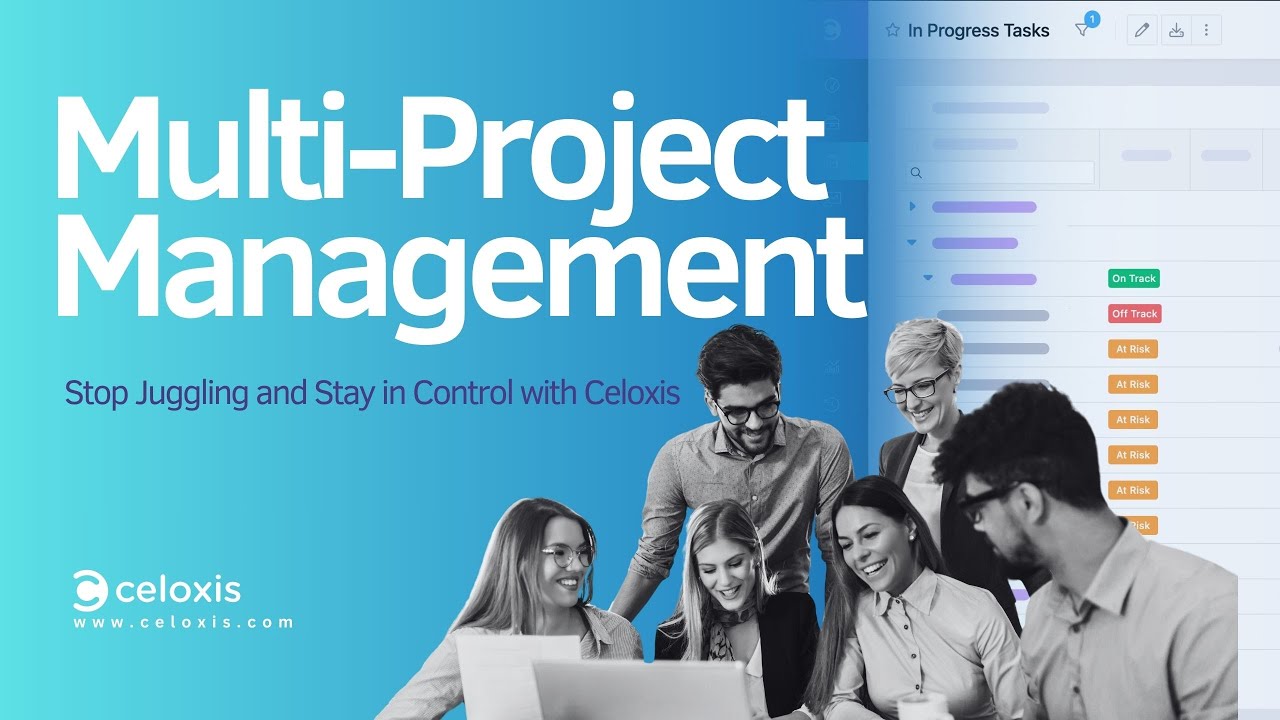
Celoxis Multi-Project Tracking Video

Master Multi-Project Tracking: Seamlessly Manage Deadlines, Dependencies, and Delivery

Celoxis multi-project tracking video showing how engineering teams manage deadlines, dependencies, project timelines, portfolio visibility, and delivery status
Celoxis multi-project tracking: See how engineering teams can manage multiple project deadlines, dependencies, timelines, portfolio updates, and delivery risks from one connected project management platform.

Why this video is useful: It shows how Celoxis helps engineering leaders track deadlines, dependencies, project timelines, resource impact, and portfolio delivery status across multiple active projects without relying on spreadsheets or manual status updates.

04

LiquidPlanner

Best for Engineers Managing Projects with Shifting Priorities
Scheduling-First Pick
⚡ Verdict

Built specifically around the concept of priority-based scheduling and uncertainty modeling. Genuinely differentiated for engineering teams where priorities shift constantly and schedules need to flex in response.

What makes LiquidPlanner unique for engineering?

LiquidPlanner’s core innovation is predictive scheduling based on task priority and effort ranges — rather than fixed deadlines. Engineers assign best-case and worst-case estimates for tasks, and LiquidPlanner dynamically generates a probabilistic schedule that reflects real-world uncertainty. When priorities shift (and in engineering, they always do), the schedule automatically rebalances.

Engineering Scenarios Where LiquidPlanner Shines

Engineering scenarios where LiquidPlanner shines: Teams managing a mix of incoming priority work, engineering support tasks, and planned project work — where resource availability and task priority are in constant flux. Product engineering teams dealing with shifting feature prioritization or infrastructure teams managing interrupt-driven work will find the model resonates.

⚠️ What LiquidPlanner Doesn’t Offer

What LiquidPlanner doesn’t offer: Financial tracking, portfolio-level margin analysis, AI-driven project intelligence, What-If Analysis for strategic project selection, or the enterprise-grade reporting that large engineering organizations need. It’s a scheduling-first tool — excellent at what it does, limited outside of it.

Which software excels at finding engineering bottlenecks caused by shifting priorities? LiquidPlanner’s dynamic priority-based scheduling identifies when an overloaded engineer is a critical path risk — but it doesn’t extend that intelligence into financial or strategic territory the way Celoxis does.

Best For

Small-to-mid engineering teams where priority flux is the primary scheduling challenge and where financial intelligence isn’t a core requirement.

Not Ideal For

Enterprise engineering portfolios, engineering firms with billing and margin requirements, or PMOs managing large-scale multi-project programs.

05

Zoho Projects

Best for Engineers Who Need a Complete Business Package
Zoho Ecosystem Pick
⚡ Verdict

A full-featured project management tool that becomes particularly powerful when used alongside the broader Zoho ecosystem — CRM, finance, HR, and support. Best for engineering firms already invested in Zoho’s platform.

What does Zoho Projects offer engineering teams?

Zoho Projects covers Gantt charts, task dependencies, time tracking, budget management, and reporting in a clean, accessible interface. The pricing is competitive, and the integration with other Zoho products — particularly Zoho CRM for client management and Zoho Books for accounting — makes it appealing for engineering firms that want a single-vendor business stack.

Engineering Use Cases

Engineering use cases: Client-facing engineering project management, task dependency tracking, and basic portfolio management. Teams using Zoho CRM for sales and Zoho Books for invoicing will find Zoho Projects integrates naturally with their existing workflows.

⚠️ Where Zoho Projects Falls Short for Engineering

Where Zoho Projects falls short for engineering: It lacks the enterprise-grade resource capacity planning (particularly across locations, shifts, and skill sets), the advanced financial intelligence (margin tracking, revenue forecasting, EVA), the AI-driven insights, and the portfolio-level risk management that complex engineering organizations require. It’s a capable tool — just not built for the depth that large-scale engineering operations demand.

What is the best project management software for engineering OKRs? Zoho Projects supports goal tracking at a basic level, but doesn’t offer the initiative tracking, OKR-to-project alignment, or executive dashboards that tools like Celoxis deliver.

Best For

Small-to-mid engineering firms already using the Zoho ecosystem who need integrated project management with CRM and accounting connectivity.

Not Ideal For

Large engineering PMOs, multi-program portfolios, or engineering organizations with complex resource and financial management requirements.

06

Jira

Best for Software Engineers Seeking Agile Sprints and Iterative Development Tracking
Agile Development Pick
⚡ Verdict

The dominant tool in software engineering for agile development. Exceptional at sprint management, backlog grooming, and development workflow — but limited outside of software-focused engineering contexts.

What does Jira offer software engineering teams?

Jira is the gold standard for software engineering project management. It handles sprint planning, backlog management, issue tracking, bug workflows, epics, stories, and velocity tracking with precision. For software development teams running scrum or kanban, Jira’s agile framework is deeply proven.

Where Jira Works Well in Engineering

Where Jira works well in engineering: Software product development, QA and bug tracking, iterative sprint execution, and developer-facing workflows. Integration with GitHub, Bitbucket, Azure DevOps, and CI/CD pipelines makes Jira a native part of the development stack.

⚠️ What Jira Misses Beyond Sprint Execution

What is software engineering project management without portfolio intelligence? Jira’s limitation is immediately apparent when you zoom out from individual sprints to portfolio-level visibility. Jira doesn’t offer cross-project financial tracking, resource capacity planning across teams, portfolio risk management, or the executive-level dashboards that engineering leadership requires. It also wasn’t designed for engineering disciplines outside of software — civil, manufacturing, pharma, or industrial engineering teams will find Jira ill-fitting.

It’s also worth noting that Celoxis integrates directly with Jira — giving software engineering teams the familiar Jira workflow while adding the portfolio intelligence, financial tracking, and resource management that Jira alone cannot provide.

🧭 Developer Workflow vs. Engineering Portfolio

Are software engineers and project managers the same? No — and Jira reflects this. It’s optimized for the developer’s workflow. Celoxis is optimized for the engineering manager’s portfolio. Both working together is often the strongest configuration.

Best For

Software engineering teams running agile sprints, iterative development, and developer-centric workflows.

Not Ideal For

Multi-disciplinary engineering PMOs, non-software engineering firms, or any context requiring financial intelligence and portfolio management beyond the sprint level.

Celoxis Customer Story

90% Faster Reports & Real-Time Tracking – The Strategy Group’s Celoxis Success Story

The Strategy Group Celoxis customer story video showing faster reporting, real-time project tracking, dashboards, portfolio visibility, and project management improvements
The Strategy Group’s Celoxis success story: See how Celoxis helps teams create reports faster, track projects in real time, improve dashboard visibility, and manage project performance from one connected platform.

Why this customer story matters: It shows how Celoxis supports faster reporting, real-time project tracking, portfolio visibility, dashboard-driven decision-making, and better project control for teams managing complex work.

07

Teamwork

Ideal for Engineers Seeking Sophisticated Task Management Capabilities
Client Collaboration Pick
⚡ Verdict

A capable project management platform with strong task management, client collaboration, and billable time tracking. A good fit for engineering teams that do significant client-facing work and need a polished collaboration layer.

What does Teamwork offer engineering teams?

Teamwork combines project management, task tracking, time logging, and client portals in a well-designed interface. Engineering teams that manage external client deliverables — engineering consultancies, design-build firms, or engineering services companies — will appreciate Teamwork’s client collaboration features, including client-facing project portals, file sharing, and comment threads.

Engineering Strengths

Engineering strengths: Task dependency management, milestone tracking, time tracking with budget alerts, team utilization view, and client portal functionality. The interface is clean and well-organized, which helps with cross-functional team adoption.

⚠️ Where Teamwork Falls Short

Where Teamwork falls short: Deep resource capacity planning, portfolio-level financial intelligence, risk management dashboards, and AI-powered project analytics are not Teamwork’s strengths. Engineering organizations managing complex multi-project portfolios will encounter limitations in reporting depth and portfolio visibility.

What are the best tools for engineering managers to track team health? Teamwork provides team utilization views and workload management — useful for monitoring team load. But it doesn’t deliver the role-based capacity planning, shift configuration, or skill-based allocation that large engineering operations need to manage workforce health at scale.

Best For

Client-facing engineering consultancies, professional services firms, and engineering teams where client collaboration and billable project management are the primary use case.

Not Ideal For

Large engineering PMOs, portfolio management across complex programs, or engineering organizations needing advanced financial and risk analytics.

08

Accelo

Best for Engineering Firms That Work on Retainer Agreements
Retainer PSA Pick
⚡ Verdict

A professional services automation (PSA) tool built specifically for client-retainer business models. Uniquely suited to engineering consulting firms managing ongoing client relationships, recurring work, and client-account profitability.

What does Accelo offer engineering firms?

Accelo is purpose-built for service businesses that run on retainers — where clients pay a monthly fee for ongoing engineering support, maintenance, or consulting. It manages the full lifecycle from CRM to project delivery to invoicing, with retainer tracking built into the core.

Where Accelo Is Genuinely Differentiated

Where Accelo is genuinely differentiated: Retainer management, client health tracking, automated invoicing against recurring agreements, and service-level profitability reporting. Engineering consulting firms and managed engineering service providers will find Accelo handles the business model complexity that other tools ignore.

⚠️ Where Accelo Falls Short

Where Accelo falls short: It’s a PSA tool, not an enterprise engineering PM platform. Large-scale project planning, portfolio management, advanced scheduling with inter-project dependencies, risk management dashboards, and AI-powered project intelligence are not Accelo’s focus.

What is the best project management software for engineering firms working on retainer? For the retainer-specific business model, Accelo is purpose-fit. For everything else that engineering firms need, it’s limited.

Best For

Engineering consulting firms and managed engineering service providers running client-retainer or subscription-based service models.

Not Ideal For

Engineering organizations running complex multi-phase projects, PMO functions, or any engineering context requiring deep project planning and portfolio management.

Celoxis PPM Video

Empower Your PMO with Celoxis Project Portfolio Management Software

Celoxis project portfolio management software video showing PMO dashboards, portfolio tracking, resource planning, financial visibility, risk management, and executive reporting
Celoxis Project Portfolio Management: See how PMOs can manage project portfolios, resources, budgets, risks, schedules, dashboards, and executive reports from one enterprise-grade PPM platform.

Why this video is useful: It shows how Celoxis helps PMOs gain portfolio-level visibility, align projects with strategic goals, manage resources and budgets, track risks, automate reporting, and make faster decisions with real-time project data.

09

Linear

Best for Modern Software Engineers With a Focus on Bug Tracking and Developer Speed
Developer-Speed Pick
⚡ Verdict

A beautifully designed, opinionated tool built for software engineering teams that value speed, simplicity, and developer-first workflows. Exceptional at issue tracking and engineering iteration — but purpose-built for software, nothing else.

What does Linear offer software engineering teams?

Linear has earned devoted fans in the software engineering community for its fast, keyboard-first interface, clean design, and developer-centric approach to issue and cycle management. It handles bug tracking, feature cycles, backlog management, and team roadmaps with a polish and speed that few tools match.

Where Linear Excels

Where Linear excels: Software product engineering teams that want a fast, minimal, developer-first alternative to Jira. Linear’s cycle system (similar to sprints), roadmap views, and GitHub integration make it a natural fit for modern product engineering workflows.

⚠️ What Linear Doesn’t Offer

What Linear doesn’t offer: Portfolio management, resource capacity planning, financial tracking, risk management, time tracking, cross-team reporting, or any support for engineering disciplines outside of software development. Linear is intentionally focused — a feature, not a bug, for the teams it’s designed for. But it rules itself out immediately for most non-software engineering contexts.

What makes more money — software engineers or project managers? This isn’t a question Linear helps answer — but it raises the point that software engineering teams need tools that bridge the engineering-execution and management-visibility gap. Linear handles execution brilliantly. The portfolio management side needs something else.

Best For

Modern software engineering and product development teams that prioritize developer experience, speed, and a minimal, focused interface.

Not Ideal For

Multi-disciplinary engineering, non-software engineering disciplines, or any team needing financial tracking, portfolio management, or resource planning.

10

ActiveCollab

Best for Engineering Teams That Need Affordable, All-in-One Project and Billing Management
Affordable All-in-One Pick
⚡ Verdict

A solid, affordable choice for small engineering teams and freelance engineering consultants who need project management, time tracking, and invoicing in one package without enterprise price tags.

What does ActiveCollab offer engineering teams?

ActiveCollab combines project management, task assignment, time tracking, expense logging, and client invoicing in a straightforward interface that’s accessible for small engineering teams. It offers Gantt-style timeline views, task dependencies, and collaborative features including file sharing and team communication.

Where ActiveCollab Works for Engineering

Where ActiveCollab works for engineering: Small engineering firms or freelance engineers managing multiple client projects, tracking billable hours, and invoicing clients — all without the complexity or cost of enterprise tools. It’s approachable, clean, and covers the basics well.

⚠️ Where ActiveCollab Reaches Its Limits

Where ActiveCollab reaches its limits: Resource capacity management, portfolio-level financial intelligence, AI-driven project analytics, risk management, and the depth of scheduling tools that large engineering operations require are absent. ActiveCollab is a capable foundation — not an enterprise PPM engine.

What is the best affordable project management solution for small engineering teams? ActiveCollab delivers solid value for small teams. Once an engineering organization grows past 20-30 people or starts running multi-project portfolios, the limitations of ActiveCollab’s depth become apparent.

Best For

Small engineering firms, freelance engineers, and engineering consultants managing client-billable work on a budget.

Not Ideal For

Mid-to-large engineering organizations, PMO functions, or any engineering team with complex scheduling, resource, and portfolio management needs.

Engineering Tool Comparison

Side-by-Side Comparison: How These Tools Stack Up for Engineering

Celoxis

Best Use Case: Large-scale engineering PMO

Portfolio Management: Advanced

Financial Tracking: Full (margin, EVA, revenue)

Resource Planning: Role/skill/shift

AI Capabilities: LEX AI engine

Engineering Workflow Apps: Native (RAID, risks, bugs)

Scalability: Enterprise

Paymo

Best Use Case: Billing-focused consultancy

⚠️ Portfolio Management: Basic

⚠️ Financial Tracking: Invoicing only

⚠️ Resource Planning: Workload view

AI Capabilities: None

Engineering Workflow Apps: Limited

⚠️ Scalability: SMB

Asana

Best Use Case: Cross-functional coordination

⚠️ Portfolio Management: Basic

Financial Tracking: None

⚠️ Resource Planning: Workload

⚠️ AI Capabilities: Limited

Engineering Workflow Apps: None

⚠️ Scalability: Mid-market

LiquidPlanner

Best Use Case: Priority-based scheduling

Portfolio Management: Limited

Financial Tracking: None

⚠️ Resource Planning: Priority-based

AI Capabilities: None

Engineering Workflow Apps: None

⚠️ Scalability: Mid-market

Zoho Projects

Best Use Case: Zoho ecosystem fit

⚠️ Portfolio Management: Basic

⚠️ Financial Tracking: Basic budgets

⚠️ Resource Planning: Basic

AI Capabilities: None

Engineering Workflow Apps: Limited

⚠️ Scalability: Mid-market

Jira

Best Use Case: Software development/agile

Portfolio Management: Sprint-level only

Financial Tracking: None

Resource Planning: None

⚠️ AI Capabilities: Limited

⚠️ Engineering Workflow Apps: Issue tracking

Scalability: Scales for dev

Teamwork

Best Use Case: Client-facing project delivery

⚠️ Portfolio Management: Basic

⚠️ Financial Tracking: Billable tracking

⚠️ Resource Planning: Utilization view

AI Capabilities: None

Engineering Workflow Apps: Limited

⚠️ Scalability: Mid-market

Accelo

Best Use Case: Retainer-based engineering firms

Portfolio Management: PSA-focused

Financial Tracking: Retainer billing

⚠️ Resource Planning: Basic

AI Capabilities: None

Engineering Workflow Apps: None

⚠️ Scalability: SMB-mid

Linear

Best Use Case: Software bug tracking and cycles

Portfolio Management: None

Financial Tracking: None

Resource Planning: None

AI Capabilities: None

⚠️ Engineering Workflow Apps: Issues only

⚠️ Scalability: Dev teams

ActiveCollab

Best Use Case: Small team all-in-one

Portfolio Management: None

⚠️ Financial Tracking: Invoicing

⚠️ Resource Planning: Basic

AI Capabilities: None

Engineering Workflow Apps: None

⚠️ Scalability: SMB

✅ = Strong ⚠️ = Partial ❌ = Not available

How to Choose the Right Project Management Software for Your Engineering Team

The decision isn’t just about features — it’s about what your engineering organization’s specific failure modes are, and which tool addresses them most directly.

If

If you’re running a multi-project engineering portfolio with a PMO function: The conversation starts and ends with Celoxis. The combination of portfolio visibility, financial intelligence, resource capacity management, What-If Analysis, and AI-driven insights is unmatched for this use case.

If

If you’re a software engineering team running agile development: Jira handles sprint execution best. But pair it with Celoxis for portfolio-level visibility and resource management — the integration is direct and purpose-built.

If

If you’re a small engineering consultancy billing clients hourly: Paymo or ActiveCollab handle the essentials at a price point that makes sense. Know that you’ll likely outgrow both as you scale.

If

If your engineering schedules constantly shift based on priority changes: LiquidPlanner’s predictive scheduling model is uniquely suited to this challenge — though you’ll need to supplement it for financial and portfolio intelligence.

If

If your engineering firm runs on client retainers: Accelo manages the business model complexity that other tools ignore. It’s purpose-built for this specific scenario.

If

If you want cross-functional coordination with easy stakeholder adoption: Asana’s accessibility makes it a strong coordination layer. Pair it with a more powerful engineering PM tool for the technical execution layer.

Buying Checklist

5 Questions Every Engineering Leader Should Ask Before Buying a PM Tool

1

Does this tool surface financial risk before it becomes a budget overrun?

Most tools show you when a project is overbudget. The best engineering PM tools — particularly Celoxis — show you when a project is trending toward overrun while there’s still time to intervene. Real-time margin tracking, EVA, and cost variance analysis are non-negotiable for engineering organizations where project profitability matters.

2

Can this tool model “what happens if we take on this new project?”

Engineering organizations are constantly making intake decisions. The ability to model a new project against current resource capacity before committing — Celoxis calls this What-If Analysis — is the difference between strategic project selection and reactive firefighting.

3

Does it handle inter-project dependencies, or only in-project dependencies?

Most project management tools track dependencies within a project. Engineering reality involves dependencies across projects — where a delay in one program blocks deliverables in another. Only a handful of tools on this list, Celoxis being the strongest, handle this at the portfolio level.

4

How does this tool tell me when an engineer is about to burn out from over-allocation?

Reactive resource management creates turnover, missed deadlines, and quality problems. Proactive capacity planning — with real-time overload alerts by role and skill, as Celoxis provides — protects both project delivery and team health.

5

What does “AI” actually mean in this tool?

In many tools, “AI” means automated reports or chatbot summaries. In Celoxis, LEX AI actively analyzes project portfolio data, answers natural language questions about project health, and delivers specific recommendations — not just summaries. Ask any vendor you’re evaluating what their AI actually does with your data.

FAQs

Frequently Asked Questions: Engineering Project Management Software

What is the best project management software for engineering firms in 2026?
For engineering firms managing complex, multi-project portfolios, Celoxis is the strongest choice in 2026. It combines advanced project scheduling, portfolio-level financial tracking, resource capacity management, AI-driven insights (LEX), and engineering-specific workflow apps — all in one platform. For smaller firms focused on client billing, Paymo or ActiveCollab offer accessible starting points.
What is project management in software engineering?
Software engineering project management involves planning, executing, and tracking software development work — from sprint planning and backlog management to release scheduling and team velocity tracking. Jira handles the development execution layer well. Celoxis adds the portfolio-level visibility and financial intelligence that software engineering leaders need above the sprint level.
How do engineers manage cross-functional projects with software?
Cross-functional engineering projects — where engineering, operations, procurement, finance, and client teams all contribute — require a tool that can track deliverables across all these functions, manage inter-team dependencies, and surface project health in a format that every stakeholder understands. Celoxis’s portfolio dashboards and reporting engine are specifically designed for this visibility challenge.
What is the role of a project manager in software engineering?
An engineering project manager bridges technical execution and organizational outcomes — translating engineering progress into business metrics that leadership can act on. The best engineering PM tools like Celoxis support this role by giving project managers real-time margin data, portfolio-level risk visibility, and AI-driven recommendations they can use in stakeholder conversations.
Can a software engineer become a project manager?
Yes — and many do. The transition involves developing skills in stakeholder management, portfolio planning, risk assessment, and financial reporting alongside the technical background. Tools like Celoxis bridge both worlds, making them effective for engineers moving into leadership roles who need to manage both technical and business dimensions of project delivery.
What makes engineering projects difficult to manage?
The combination of technical complexity, interdependent deliverables, multi-stakeholder coordination, resource constraints, and financial accountability makes engineering projects exceptionally challenging. Missed dependencies cascade into delays. Budget variances compound into overruns. Resource conflicts create bottlenecks. The best engineering PM tools — led by Celoxis in 2026 — address all of these dimensions simultaneously rather than solving one at the expense of others.
How does engineering document management software improve project collaboration?
When engineers, managers, clients, and contractors all work from a single source of truth — shared project dashboards, task assignments, file repositories, and communication threads — collaboration friction drops dramatically. Celoxis’s client portals, shared dashboards, and team collaboration features create this shared context without requiring manual updates or status meeting overhead.
What is the best OKR and goal tracking software for engineering teams?
For engineering teams tracking OKRs and strategic goals alongside project execution, Celoxis’s Initiatives dashboard tracks strategic, operational, and tactical objectives with budget allocation, priority, and status visibility in a single view. This connects engineering project delivery to business outcomes in a way that standalone OKR tools cannot replicate.
Which platform is best for managing engineering roadmaps?
Celoxis’s Portfolio Overview and Roadmap features give engineering leaders a visual, data-connected view of program timelines, budget status, and delivery health across the full project portfolio. The roadmap view distinguishes between projects that are on track, at risk, and overbudget — making it actionable, not just visual.
What is the best AI-driven project management software for engineering teams?
Celoxis’s LEX AI engine is the most capable AI feature specifically applied to engineering project management in 2026. Unlike tools that use AI only for report summaries, LEX actively analyzes project portfolio data, answers natural language questions about project and resource health, and surfaces actionable recommendations in real time.
Final Verdict

Final Verdict: Which Engineering PM Software Should You Choose?

Every tool in this list has a legitimate use case. The right choice depends on your team’s size, the complexity of your projects, and what specific engineering management challenges you’re trying to solve.

But if you’re asking which tool does the most for the broadest range of engineering teams — from civil and infrastructure to software and product, from pharma and healthcare to manufacturing and finance — the answer in 2026 is Celoxis.

It’s the only tool on this list that combines enterprise-grade portfolio management, real-time financial intelligence, role-based resource capacity planning, AI-driven project analytics, engineering-specific workflow apps, and deep integration with the tools your development teams already use — all within a single, well-designed platform that engineering leaders, PMO heads, and project managers can actually work in every day.

The question for engineering leaders evaluating their options isn’t just “what features does this tool have?” It’s “what problems will still exist six months from now if I choose this tool?” With Celoxis, the answer to that question is a much shorter list.

We will not publish your email address nor use it to contact you about our products.