

What is project scheduling software?
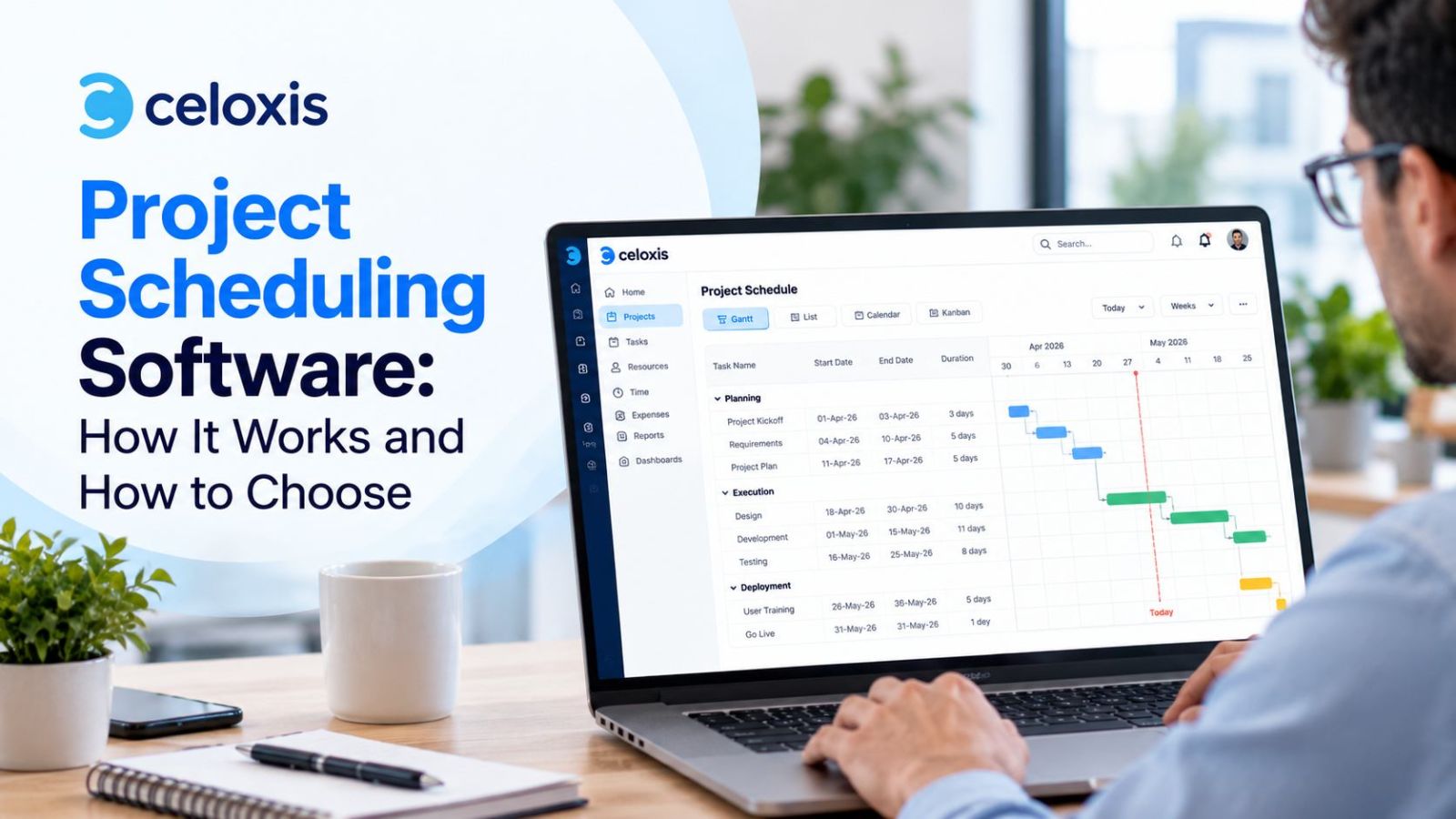
Project scheduling software turns a list of project tasks into a working timeline. It links tasks through dependencies, assigns people and durations, calculates the critical path, and recalculates every date when something slips. Teams use it to create realistic project schedules they can actually hit, not the ones they hoped for.
A spreadsheet can hold the same task list. What it cannot do is react. Move one task and every dependent date stays wrong until someone fixes it by hand. With five projects sharing the same people, those manual fixes become the job.
What dedicated scheduling software adds:
- Dates that recalculate. Dependencies, durations and work calendars drive the dates, so a slipped task moves everything after it.
- Resource visibility. You can allocate resources across projects and plan capacity before anyone is overbooked.
- Progress against a plan. Track project progress against the project baseline, with earned value metrics such as SPI and CPI.
- One version for everyone. Stakeholders and team members read the same schedule, which keeps project communication simple.
- Earlier warnings. Slips show up while there is still time to act, which supports risk management and keeps work within scope, time and budget.
Schedules slip even in experienced hands. In PMI’s Pulse of the Profession 2025, a survey of 2,841 project professionals, respondents with high business acumen reported schedule compliance of 63%, against 59% for everyone else. So roughly four in ten projects miss their dates even among the strongest performers. Scheduling software does not remove that risk. It shows you the slip early enough to act on it.
In short:
- Project scheduling software calculates dates from dependencies and durations instead of storing them as fixed entries.
- The critical path is the longest chain of dependent tasks. It sets the earliest possible finish date.
- Float (or slack) is how long a task can slip before it delays the project. Critical tasks have zero float.
- For teams running many projects at once, the deciding features are cross-project dependencies, shared resource pools and portfolio views.
- AI features now drive buying decisions, but they are only as good as the schedule logic underneath them.
This guide covers the fundamentals, a worked critical path example you can check by hand, how AI is changing scheduling tools, and a practical way to choose a tool that pays back its cost.
II. Project scheduling software compared (2026)
The main change from the live table: Microsoft Project Online retired on September 30, 2026, so the Microsoft row now reflects what Microsoft sells today. For a wider shortlist beyond scheduling, see our 15 best project management software for 2026.
| Tool | Critical path | Multi-project scheduling | Best for | G2 rating |
|---|---|---|---|---|
| Celoxis | Calculated automatically on an interactive Gantt chart; critical tasks cannot be marked by hand | Native inter-project dependencies across the portfolio | PMOs running many concurrent projects with shared resources | 4.6/5 |
| Microsoft Planner and Project Plan 3 | Included in Plan 3 (not in Plan 1) | Portfolios in Plan 3; Project desktop included | Teams standardized on Microsoft 365 | Verify |
| Smartsheet | Highlighted in Gantt view on Pro, Business and Enterprise; needs predecessors set | Cross-sheet setup | Teams comfortable with spreadsheet-style logic | 4.4/5 |
| Wrike | Available in Gantt view | Dashboard-based, moderate depth | Marketing and cross-functional teams | 4.2/5 |
| monday.com | Highlighted on the Gantt view | Multi-project Gantt view across boards | Smaller teams that prioritize visual workflows | 4.7/5 |
Celoxis rating checked October 2026; competitor ratings are carried over from the live page. Re-check every G2 figure on the day you publish.
Line to add under the table: Microsoft retired Project Online on September 30, 2026. Its current options are the Planner plans, Project desktop through Planner and Project Plan 3, and Project Server Subscription Edition for on-premise use. Planner and Project Plan 5 also reached end of sale on May 1, 2026. If you are moving off Project Online, see our Microsoft Project alternative page.
III. Project Scheduling Fundamentals: Building a Solid Foundation for Project Success
Effective project scheduling isn’t about guesswork but building a solid foundation based on a clear understanding and meticulous planning. This section delves into the fundamental principles that underpin successful project scheduling, emphasizing the crucial link between planning and execution.
Project Scope Definition: Knowing What Needs to Be Done
A well-defined project scope is the bedrock upon which all successful project schedules are built. Any scheduling effort will fail without a clear understanding of what needs to be delivered, when, and by whom. The project scope statement serves as the official document outlining the project’s boundaries, deliverables, and acceptance criteria. It provides a shared understanding among stakeholders, preventing scope creep and ensuring everyone works towards the same objectives. Critically, the project scope statement informs the Work Breakdown Structure (WBS) development, which is an essential prerequisite for effective scheduling.
The Work Breakdown Structure (WBS) is a structured breakdown of the project scope into smaller, more manageable components or work packages. It breaks down complex deliverables into smaller, more manageable tasks, making estimating durations, assigning resources, and tracking progress easier. The WBS serves as the foundation for activity definition and sequencing, ensuring that all necessary tasks are identified and included in the project schedule.
Activity Definition & Sequencing: Defining the “How” and “When”
Once the WBS is established, the next step is to define the individual project activities required to complete each work package. Activity definition involves identifying and describing all the tasks that must be performed. This process should include input from subject matter experts and project team members to ensure all necessary activities are captured.
After defining the activities, it’s crucial to establish their logical sequence and dependencies. Activity sequencing involves determining the order in which activities must be performed, considering their interrelationships and constraints. The Precedence Diagramming Method (PDM) and Activity-on-Node (AON) diagrams are commonly used techniques for visually representing these dependencies.
There are four main types of task dependencies:
- Finish-to-Start (FS): Activity B cannot begin until Activity A is completed. (The most common type)
- Start-to-Start (SS): Activity B cannot begin until Activity A has started.
- Finish-to-Finish (FF): Activity B cannot be completed until Activity A is finished.
- Start-to-Finish (SF): Activity B cannot be completed until Activity A has started. (This is the least common type)
Understanding and correctly defining these dependencies is crucial for creating a realistic project schedule.
Duration Estimating: How Long Will It Take?
Accurately estimating activity durations is essential for creating a reliable project schedule. Different methods can be used for this purpose.
Check Also: Duration, Work, and Units
- Three-Point Estimating: This technique uses three estimates—optimistic (O), most likely (M), and pessimistic (P)—to calculate an expected duration using a weighted average formula (typically PERT: (O + 4M + P) / 6).
- Historical Data Analysis: Examining data from similar past projects can provide valuable insights into activity durations.
- Expert Judgment: Consulting with subject matter experts can provide informed estimates based on their experience.
- Parametric Estimating: Using statistical relationships between historical data and project variables to estimate durations.
Emphasizing the importance of realistic estimates is crucial. Inflated or overly optimistic forecasts can lead to inaccurate schedules and project delays.
Critical Path Method (CPM): Identifying the Bottleneck
The Critical Path Method (CPM) identifies the most extended sequence of dependent activities in a project schedule. This longest path is critical and represents the shortest possible project duration. Any delays on the critical path will directly impact the project’s overall completion date.
Understanding the critical path is essential for schedule management. Project managers must pay close attention to activities on the critical path, as any slippage in these activities will delay the entire project. CPM also plays a crucial role in schedule compression techniques like crashing (adding resources to critical path activities) and fast-tracking (performing activities in parallel).
Visualizing the Schedule: Gantt Charts and Network Diagrams
Gantt charts and network diagrams are powerful visual tools used to represent project schedules, dependencies, and progress.
- Gantt charts: These bar charts display project activities, durations, and dependencies over time. They provide a clear visual representation of the project schedule, making it easy to track progress and identify potential delays.
- Network diagrams (PERT charts, PDM diagrams) illustrate the logical sequence and dependencies between project activities. They help visualize the critical path and identify potential bottlenecks.
IV.Worked example: finding the critical path
This example finds the critical path of a small project by hand, the same way scheduling software does it in the background. The project is a customer portal launch with seven tasks from its work breakdown structure, durations in working days.
| Task | Description | Duration (days) | Depends on |
|---|---|---|---|
| A | Requirements sign-off | 5 | None |
| B | UX design | 8 | A |
| C | Backend API build | 12 | A |
| D | Frontend build | 10 | B |
| E | Integration testing | 6 | C and D |
| F | Training materials | 4 | B |
| G | Launch (milestone) | 0 | E and F |
Step 1: Forward pass (earliest dates)
Start each task as soon as all its predecessors finish. Early Start (ES) is the latest Early Finish among its predecessors. Early Finish (EF) is ES plus duration. Software with automatic scheduling runs this pass every time a date or duration changes.
Task E is the one to watch. It waits for both C (finishes day 17) and D (finishes day 23), so it cannot start before day 23. The launch lands on day 29.
Step 2: Backward pass (latest dates)
Work back from day 29. Late Finish (LF) is the earliest Late Start among a task’s successors. Late Start (LS) is LF minus duration. Float is LS minus ES.
| Task | ES | EF | LS | LF | Float (days) | Critical? |
|---|---|---|---|---|---|---|
| A | 0 | 5 | 0 | 5 | 0 | Yes |
| B | 5 | 13 | 5 | 13 | 0 | Yes |
| C | 5 | 17 | 11 | 23 | 6 | No |
| D | 13 | 23 | 13 | 23 | 0 | Yes |
| E | 23 | 29 | 23 | 29 | 0 | Yes |
| F | 13 | 17 | 25 | 29 | 12 | No |
| G | 29 | 29 | 29 | 29 | 0 | Yes |
Critical path: A, B, D, E, G = 29 days.
What the numbers tell a project manager
- Speeding up the backend team will not move the launch. Task C has 6 days of float. Adding people to C costs money and changes nothing on the finish date.
- To launch earlier, shorten B, D or E. These are the only tasks where crashing (adding resources) or fast-tracking (overlapping work) pulls the date in.
- Float runs out quietly. If C slips by 7 days instead of 6, it becomes critical and the launch moves to day 30. In a spreadsheet nobody notices until testing starts late. Scheduling software recalculates the path the moment the slip is logged.
- Training materials (F) have 12 days of float. That task can be moved to make room for a person who is overbooked elsewhere, which is exactly what resource leveling does.

V. Mastering Project Scheduling Techniques with Software: From Theory to Practice – Implementing Best Practices for Project Success
This section bridges the gap between the theoretical underpinnings of project scheduling and its practical application using project scheduling software. We will delve into how to leverage the advanced features of these platforms to create, manage, and optimize project schedules, ultimately driving successful project delivery within scope, time, and budget constraints.
Software Setup and Project Initialization: Establishing the Digital Project Workspace
The initial step in harnessing project scheduling software involves setting up the project and initializing the digital environment. This typically encompasses:
- Defining Project Information: Inputting comprehensive project details, including the project name, detailed description, project charter, project sponsor information, and project manager details. This establishes the foundational context for the project schedule and subsequent control.
- Calendar Settings: Configuring the project calendar to accurately reflect working days, holidays, company-specific non-working time, and any other relevant time constraints. Precise calendar settings are paramount for realistic activity duration estimating and schedule development.
- Resource Pool Creation: Defining the available resources—team members, equipment, materials, and vendors—along with their associated attributes, such as skill sets, availability (including resource calendars), cost rates (standard and overtime), and roles within the project organization. This resource pool is the basis for resource allocation, leveling, and smoothing.
Task Creation, Dependency Linking, and Milestone Setting: Structuring the Project Schedule
Once the project environment is initialized, the next stage involves populating the schedule with project activities. This involves:
- Task Creation: Generating individual tasks based on the Work Breakdown Structure (WBS). Each task should have a unique identifier, a clear and concise description, an estimated duration (informed by techniques like three-point estimating or the Delphi technique), assigned resources, and acceptance criteria.
- Dependency Linking: Establishing the logical relationships and dependencies between tasks utilizing various dependency types: Finish-to-Start (FS), Start-to-Start (SS), Finish-to-Finish (FF), and Start-to-Finish (SF). Accurate dependency linking, often visualized using the Precedence Diagramming Method (PDM) or Activity-on-Node (AON) diagrams, is crucial for critical path method (CPM) analysis and schedule network analysis.
- Milestone Setting: Defining key milestones to mark significant checkpoints, deliverables, and decision points within the project schedule. Milestones have zero duration and are crucial markers for progress tracking, earned value management (EVM) calculations, and stakeholder communication.
Resource Allocation and Management: Optimizing Resource Utilization.
Effective resource management is indispensable for project success. Project scheduling software provides tools for:
- Resource Assignment: Assigning resources to specific tasks based on their skills, availability, and cost rates.
- Resource Availability Management: Tracking resource availability, including planned vacations, training, and other commitments, and ensuring that resources are not overallocated.
- Resource Leveling: Adjusting the project schedule to balance resource utilization and prevent resource bottlenecks and conflicts. This often involves shifting non-critical activities within their float or slack.
- Resource Smoothing: Optimizing resource usage to minimize resource demand fluctuations creates a more stable and predictable workload for the project team.
Critical Path Analysis and Management: Maintaining Schedule Control
Identifying and managing the critical path is a fundamental function of project scheduling software. The software can:
- Identify the Critical Path: Automatically compute the critical path—the most extended sequence of dependent activities that determines the shortest possible project duration—based on task dependencies and durations, often using forward and backward pass techniques.
- Analyze Critical Path Impact: Assess the impact of potential delays or changes on the critical path and the overall project schedule. This involves calculating float or slack for each activity.
- Manage Critical Path Activities: Prioritize critical path activities and implement strategies to prevent or mitigate potential delays. These include schedule compression techniques like crashing (adding resources or working overtime) and fast-tracking (performing activities in parallel, accepting increased risk).
Progress Tracking and Performance Measurement: Monitoring Project Health
Project scheduling software provides real-time insights into project progress and performance, enabling proactive project control. This includes:
- Actual Progress Tracking: Updating task status (e.g., not started, in progress, completed), exact start and finish dates, and percentage complete to reflect real-world progress against the project baseline.
- Baseline Schedule Comparison: Comparing actual progress against the project baseline—the original approved project schedule—to identify any schedule variances.
- Performance Metric Calculation: Calculating key EVM metrics, such as Schedule Variance (SV), Schedule Performance Index (SPI), Cost Variance (CV), Cost Performance Index (CPI), and Estimate at Completion (EAC), to assess project performance against the project management plan.
- Deviation Identification: Identifying potential delays, cost overruns, and other deviations early, enabling timely corrective actions and preventing scope creep.
What-If Analysis and Scenario Planning: Proactive Risk Management
Project scheduling software facilitates what-if analysis and scenario planning to prepare for potential changes, risks, and disruptions proactively. This involves:
- Scenario Simulation: Simulating various scenarios (e.g., resource availability changes, scope changes, material delays, weather impacts) and assessing their impact on the project schedule, cost, and resources.
- Contingency Plan Development: Develop contingency and fallback plans to address identified risks and minimize their impact on the project.
Reporting and Communication: Stakeholder Engagement and Transparency
Effective communication management and stakeholder engagement are essential for project success. Project scheduling software facilitates this through:
- Report Generation: Generating various reports, including Gantt charts, resource usage reports, progress reports, exception reports, and status reports, tailored to different stakeholder needs.
- Dashboard Creation: Creating visual dashboards to provide a high-level overview of project performance, key metrics, and KPIs.
- Stakeholder Communication: Sharing reports, dashboards, and other relevant information with stakeholders to keep them informed about project status, progress against the project plan, and any potential issues or risks. This often involves status meetings and project reviews.
VI. Choosing the Right Project Scheduling Software: A Strategic Decision
Selecting the right project scheduling software is a mission-critical decision directly impacting project ROI and organizational success. It’s not merely about acquiring a tool but strategically aligning software capabilities with your specific project needs, team dynamics, and enterprise architecture. This section provides a technical framework for navigating the software selection process, ensuring you procure the optimal solution to empower your project management office (PMO) and drive consistent project delivery.
Defining Your Requirements: What Do You Need?
Before evaluating software vendors, a rigorous requirements-gathering process is essential. This involves a comprehensive analysis of your project landscape and stakeholder needs. Consider the following technical and operational factors:
- Project Portfolio Complexity: Assess the diversity and interdependence of your projects. Are you managing primarily waterfall projects, agile projects, or a hybrid approach? Consider the need for multi-project scheduling, program management, and portfolio management functionalities.
- Team Structure and Collaboration Needs: Evaluate your team’s size, distribution (co-located, remote, or hybrid), and collaboration requirements. Consider features like resource calendars, shared workspaces, version control, and communication management tools.
- Budgetary Constraints and Total Cost of Ownership (TCO): Establish a realistic budget, considering not only upfront licensing costs but also ongoing subscription fees, implementation costs, training expenses, and IT infrastructure requirements. Calculate the TCO to understand the long-term financial implications.
- Functional Requirements: The Feature Wish List: Develop a detailed list of essential features, prioritizing them based on their criticality. This may include:
- Gantt charts, PERT charts, and Critical Path Method (CPM) analysis
- Work Breakdown Structure (WBS) management and scope baseline control
- Resource allocation, resource leveling, resource smoothing, and capacity planning
- Earned Value Management (EVM) reporting, including SPI, CPI, SV, CV, and EAC calculations
- Risk management features, such as Monte Carlo simulation and risk register management
- Change management workflows and configuration management capabilities
- Issue tracking, bug tracking, and action item management
- Collaboration features, including document management, version control, and communication logs
- Reporting and dashboard functionalities with customizable Key Performance Indicators (KPIs)
- Integration capabilities with other enterprise systems via APIs (CRM, ERP, Finance)
- Technical Requirements and System Architecture: Define your technical requirements, including:
- Deployment model (cloud-based SaaS, on-premise, or hybrid)
- Security requirements and data encryption standards
- Scalability and performance benchmarks
- Integration requirements with existing IT infrastructure
- Operating system and browser compatibility
- User Experience (UX) and Usability: Prioritize software with an intuitive and user-friendly interface. Conduct usability testing with representative users to ensure easy adoption and minimize the learning curve.
Key Features to Evaluate: A Technical Checklist – The Essential Capabilities
Develop a detailed technical checklist to guide your software evaluation, focusing on the following key areas:
- Scheduling Engine: Evaluate the robustness of the scheduling engine, its ability to handle complex dependencies, and its performance in critical path analysis and schedule compression.
- Resource Management Module: Assess the capabilities for resource allocation, resource leveling, capacity planning, and resource utilization reporting.
- Reporting and Analytics Suite: Examine the flexibility and customization options for generating reports, dashboards, and KPI visualizations. Ensure compatibility with your reporting requirements.
- Integration Framework: Evaluate the available APIs and integration capabilities with other enterprise systems. Consider the ease of data exchange and synchronization.
- Security and Compliance: Verify compliance with relevant security standards (e.g., ISO 27001, SOC 2) and data privacy regulations (e.g., GDPR).
- Scalability and Performance: Ensure the software can scale to accommodate future growth in project volume and user base. Evaluate performance under load to avoid bottlenecks.
Software Comparison and Evaluation: A Data-Driven Approach
Employ a structured, data-driven approach to compare software options. This may involve:
- Developing a Weighted Scoring Model: Assign weights to different features based on their importance and use a scoring system to evaluate each software option.
- Requesting Detailed Proposals (RFPs): Soliciting detailed proposals from vendors, outlining their software capabilities, pricing, and support offerings.
- Conducting Vendor Demonstrations: Scheduling live demonstrations with vendors to see the software and ask specific questions.
- Requesting References: Contacting existing customers of the vendors to gather feedback on their experience with the software.
Free Trials and Demos: Hands-on Validation – Proof of Concept
Leverage free trials and demos to conduct a proof of concept and validate the software’s suitability for your needs. This should involve:
- Simulating Real-World Scenarios: Testing the software with your project data and workflows.
- Involving Key Users: Allowing your project team members to use the software and provide feedback.
- Evaluating Performance: Assessing the software’s speed, responsiveness, and stability.
Vendor Support and Training: A Strategic Partnership – Long-Term Value and ROI
Consider the long-term relationship with the vendor and the level of support and training they provide. This includes:
- Training Programs: On-site or online training programs for your project team.
- Technical Support: Responsive and knowledgeable technical support via a secure virtual phone number, email, or online chat.
- Knowledge Base and Documentation: Access comprehensive documentation, tutorials, and FAQs.
- Community Forums: Opportunities to connect with other users and share best practices.
VII.How AI is changing project scheduling
AI is now the main reason companies buy new project management software. In Capterra’s 2025 Project Management Software Trends survey of 2,545 buyers across 11 countries, 55% said adding AI was the top trigger for their latest purchase. The same survey found that 41% call AI adoption their biggest software challenge, so buying AI and getting value from it are two different things.
What AI actually does in a scheduling tool
“AI” covers several different technologies, and each one helps with a different part of the schedule:
- Language models answer questions and draft summaries, such as a weekly status note built from task progress.
- Predictive analytics use past project data to forecast delays and capacity shortfalls before they show up on the Gantt.
- Automation engines assign tasks, route approvals and update statuses based on rules.
- Machine learning spots patterns across projects, such as task types that are always underestimated.
Capterra recommends asking each vendor which of these its AI uses and whether its outputs can be explained. That is the right question for scheduling too. A delay forecast you cannot trace back to specific tasks is hard to act on, and it weakens your project risk management instead of strengthening it.
Why the schedule logic still matters
AI reads the schedule you give it. If dependencies are missing or durations are guesses, an AI risk alert will be confident and wrong. Get the fundamentals in sections 3 and 4 right first: real dependencies, honest durations and an approved project baseline. Then AI becomes a fast way to question that data instead of a way to hide gaps in it.
How Celoxis uses AI in scheduling
Celoxis includes Lex, an AI assistant that answers plain-English questions from live project data. A project manager can ask which projects are at risk this month and why, or who could take over a teammate’s workload next week. Lex flags likely delays and dependencies, recommends next steps and opens the relevant dashboard.
For teams that already work in AI desktop apps, Celoxis also offers an MCP server (beta) that connects ChatGPT Desktop, Claude Desktop and Cursor to projects, tasks, people and reports. It works with the user’s own access token and project permissions.
VIII. Tips and Best Practices for Effective Project Scheduling – Maximizing Project Success through Strategic Execution
In this section, we will explore the key tips and best practices for leveraging project scheduling software to achieve peak performance in project execution. These recommendations empower project managers to create, manage, and optimize project schedules for consistent success.
Start with a Realistic Schedule:
Creating a realistic project schedule is paramount. It’s not about wishful thinking; it’s about reflecting actual project constraints and available resources. Key considerations include:
- Accurate Activity Duration Estimates: Avoid overly optimistic or pessimistic estimates. Employ techniques like three-point estimating (optimistic, most likely, pessimistic) and the Delphi technique to arrive at realistic durations. Consider historical data from similar projects.
- Valid Task Dependencies: Ensure that task dependencies are accurately defined and reflect the true sequence of work. Incorrect dependencies can lead to an unrealistic critical path and flawed schedule network analysis.
- Resource Availability and Capacity: Factor in resource availability, including planned vacations, training, and other commitments. Don’t over-allocate resources, leading to resource conflicts and overallocation.
- Project Constraints: Acknowledge and incorporate all project constraints, including budgetary constraints, time constraints, resource constraints, and scope constraints.
- Baseline Schedule Establishment: Once the schedule is deemed realistic and approved, establish it as the project baseline. This will serve as the benchmark against which actual progress is measured.
Involve the Project Team: Collaboration is Key
Project scheduling is not a solo endeavor. Involving the project team in the scheduling process is crucial for several reasons:
- Input and Expertise: Team members possess valuable insights into task durations, dependencies, and potential risks. Their input can significantly improve the accuracy of the schedule.
- Buy-in and Ownership: When team members are involved in creating the schedule, they are more likely to take ownership of it and be committed to meeting deadlines.
- Early Identification of Issues: Team involvement can help identify potential roadblocks, resource conflicts, and other issues early on, allowing for proactive mitigation.
- Improved Communication Management: Collaborative scheduling fosters open communication and shared understanding among team members.
Regularly Review and Update the Schedule: Staying Agile – Adapting to Change
Project schedules are not static documents. They must be regularly reviewed and updated to reflect progress, address changes in scope, resources, or the project environment, and remain a relevant project control tool. This involves:
- Progress Tracking: Regularly updating task status, actual start and finish dates, and percentage complete.
- Schedule Variance Analysis: Comparing actual progress against the project baseline to identify any schedule variances (positive or negative).
- Corrective Actions: Taking corrective actions to address schedule slippage and bring the project back on track.
- Change Management: Incorporating approved changes to the project scope, resources, or other aspects into the schedule through a defined change control process.
- Maintaining Schedule Accuracy: Ensuring the schedule accurately reflects the project’s current status and projected completion date.
Communicate Effectively: Transparency Builds Trust – Keeping Stakeholders Informed
Effective communication management is essential for informing stakeholders about project progress and supporting them. Strategies for communicating the project schedule and updates include:
- Regular Status Meetings: Conduct regular meetings with stakeholders to review the schedule, discuss progress, and address concerns.
- Visual Reports and Dashboards: Sharing visual reports, such as Gantt charts and dashboards, to provide a clear and concise overview of the schedule and key metrics.
- Written Status Reports: Distribute written reports to stakeholders, summarizing progress, highlighting key achievements and challenges, and outlining planned activities.
- Proactive Communication: Communicating proactively about potential delays or issues, explaining the reasons and the proposed solutions.
- Stakeholder Engagement: Actively engaging with stakeholders to solicit feedback and address their questions.
Manage Schedule Risks: Proactive Mitigation – Anticipating and Addressing Challenges
Proactive risk management is crucial for minimizing potential disruptions to the project schedule. This involves:
- Risk Identification: Identifying potential risks impacting the project schedule, such as resource availability issues, material delays, and scope changes. Tools like brainstorming, SWOT analysis, and Delphi technique can be utilized.
- Risk Assessment: Assessing the likelihood and impact of each identified risk. This typically includes both qualitative and quantitative analysis.
- Risk Response Planning: Developing mitigation strategies to address high-priority risks. This may include developing contingency plans and fallback plans.
- Risk Monitoring and Control: Regularly monitor identified risks and implement mitigation strategies as needed. Using the project scheduling software’s risk management features to track and manage risks.
- Contingency Reserves: Allocating contingency reserves (time and budget) to address potential schedule delays and cost overruns associated with identified risks.
The core message is clear: Effective project scheduling is not just about hitting deadlines but maximizing your strategic advantage. It’s about aligning every tactical action with your overarching project objectives and your organization’s strategic goals. It’s about turning potential chaos into a well-executed campaign, where every move brings you closer to success.
Consider the insights that modern scheduling software provides. Imagine having a real-time project landscape map, identifying potential bottlenecks before they become roadblocks, and proactively adjusting your resource allocation to capitalize on opportunities. This is the level of strategic awareness that integrated scheduling software empowers.
- Don’t Miss: What Is a Project Management Framework?
Moreover, consider the increasing importance of Agile methodologies in today’s dynamic environment. Modern scheduling software seamlessly integrates with Agile frameworks, supporting sprint planning, backlog grooming, and velocity tracking. This allows you to adapt your battle plans quickly and effectively, responding to changing circumstances and maintaining momentum.
But technology is only as good as the strategist wielding it. It’s the project manager’s expertise in critical path analysis, earned value management, and risk assessment; the team’s collaborative spirit in daily stand-ups and sprint reviews; and the stakeholder’s active participation in project governance that genuinely transforms a schedule from a static document into a dynamic strategic asset. It’s about fostering a culture of continuous improvement, embracing change management as a necessary part of the project lifecycle, and leveraging the software’s reporting and communication tools to ensure transparency and alignment across all fronts.
IX.Frequently asked questions
What is the difference between project planning and project scheduling?
Planning decides what the project will deliver and how: scope, work breakdown, budget and risks. Scheduling turns that plan into dates. It sequences the tasks, sets durations, assigns people and calculates when the project can realistically finish. A plan without a schedule has no dates you can commit to.
What is the best project scheduling software?
It depends on how many projects you run and who shares the work. Teams on Microsoft 365 often start with Planner and Project Plan 3. Spreadsheet-minded teams like Smartsheet. PMOs running many projects with shared people need cross-project dependencies, a shared resource pool and portfolio reporting, which is where enterprise tools such as Celoxis fit. Our list of the best project management software compares more options.
Can I use Excel for project scheduling?
Excel works for a single small project with a handful of tasks. It cannot recalculate dependent dates, find the critical path or show who is overbooked across projects. Once you have more than one project or more than a few dependencies, the manual upkeep usually costs more than an easy-to-use scheduling tool.
What happened to Microsoft Project Online?
Microsoft retired Project Online on September 30, 2026, and its data is no longer accessible in the service. Microsoft’s own replacement paths are the Planner plans and Project Server Subscription Edition. Many organizations are also using the retirement as a reason to evaluate dedicated project portfolio management tools; see our Microsoft Project alternative comparison.
What is float (slack) in a project schedule?
Float is the number of days a task can slip without delaying the project finish date. You calculate it as Late Start minus Early Start. Tasks on the critical path have zero float, so any delay to them delays the whole project. Tasks with float give you room to move people around.
How does AI help with project scheduling?
AI in scheduling tools answers questions about the plan in plain language, forecasts likely delays from project data, and automates routine updates such as status changes and task assignments. It works best on a schedule with real dependencies and honest durations. AI cannot fix a schedule that was built on guesses.


Comments
0 responses